
Cách lấy link file excel nguồn cho Power query từ Onedrive, Google drive (2 người xem)

  • Thread starter Thread starter ptm0412
  • Ngày gửi Ngày gửi

Người dùng đang xem chủ đề này

  • ptm0412

    Bad Excel Member
    Thành viên BQT
    Administrator
    Tham gia
    4/11/07
    Bài viết
    14,917
    Được thích
    37,710
    Donate (Momo)
    Donate
    Giới tính
    Nam
    Nghề nghiệp
    Consultant
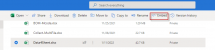
    1. OneDrive:
    Chọn file data, nhấn nút Embed
    1652156129364.png

    Nhấn nút Generate

    1652156181209.png

    Copy chuỗi embed:

    1652156213801.png

    Được chuỗi:
    <iframe src="https://onedrive.live.com/embed?cid=B9C418BAD6EBE6BA&resid=B9C418BAD6EBE6BA%211887&authkey=AJG6yZZhYJsbyDk&em=2" width="402" height="346" frameborder="0" scrolling="no"></iframe>

    Xóa đầu xóa đuôi, lấy từ https:// đến em=2, sửa embed thành download

    "https:// onedrive.live.com/download?cid=B9C418BAD6EBE6BA&resid=B9C418BAD6EBE6BA%211887&authkey=AJG6yZZhYJsbyDk&em=2"

    Dùng chuỗi này get data from web

    1652156369270.png


    2. Google drive
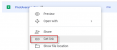
    Bấm chuột phải vào file, nhấn Get link
    1652156652104.png

    Nhấn copy link
    1652156693613.png

    Ta được:

    "https://docs.google.com/spreadsheets/d/1Xc_C3F3cAjYnB3WCWYZ8J0XpKVnMIPg4/edit?usp=sharing&ouid=104893641340913559968&rtpof=true&sd=true"

    Sửa lại thành:
    "https://docs.google.com/spreadsheets/d/1Xc_C3F3cAjYnB3WCWYZ8J0XpKVnMIPg4/export?format=xlsx"

    Đưa vào get data from web
     
    Lần chỉnh sửa cuối:
    Đưa vào get data from web

    Bác dùng cái hàm này xem thử.


    PHP:
    '# OneDrive link
    Function ConvertUrlOD(sURL As String) As String
        ConvertUrlOD = VBA.Replace(sURL, "embed?", "download?")
    End Function
    
    '# GoogleDrive link
    Function ConvertUrlGD(sURL As String) As String
        Dim prefixURL As String
        prefixURL = "https://docs.google.com/uc?export=download&id="
        ConvertUrlGD = VBA.Replace(sURL, "https://drive.google.com/file/d/", prefixURL)
        ConvertUrlGD = VBA.Replace(ConvertUrlGD, "/view?usp=sharing", "")
    End Function
     
    Bác dùng cái hàm này xem thử.


    PHP:
    '# OneDrive link
    Function ConvertUrlOD(sURL As String) As String
        ConvertUrlOD = VBA.Replace(sURL, "embed?", "download?")
    End Function
    
    '# GoogleDrive link
    Function ConvertUrlGD(sURL As String) As String
        Dim prefixURL As String
        prefixURL = "https://docs.google.com/uc?export=download&id="
        ConvertUrlGD = VBA.Replace(sURL, "https://drive.google.com/file/d/", prefixURL)
        ConvertUrlGD = VBA.Replace(ConvertUrlGD, "/view?usp=sharing", "")
    End Function
    Tôi đang dùng thuần PQ, không có VBA. Và hình như bạn nhầm GGDrive export và view
     
    Cái quan trọng nhất phải lưu ý, đó là anh cần thiết lập chia sẻ công khai thì mới truy cập vào tập tin để lấy dữ liệu.

    1652158399256.png
     
    Tôi đang dùng thuần PQ, không có VBA. Và hình như bạn nhầm GGDrive export và view
    Cách dưới đây là kết hợp VBA chuyển đổi chuỗi URL lưu xuống Cell và PQ tham chiếu tới nó. :)
    Đặt Name cho Cell chứa link URL là URLString.

    TCCpSqv.png


    Mã:
    let
        GetURL=Excel.CurrentWorkbook(){[Name="URLString"]}[Content][Column1]{0},
        Source = Excel.Workbook(Web.Contents(GetURL),null,true),
        Navigation = Source{[Item="Data",Kind="Sheet"]}[Data],
        #"Promoted Headers" = Table.PromoteHeaders(Navigation,[PromoteAllScalars=true]),
        #"Changed Type" = Table.TransformColumnTypes(#"Promoted Headers",{{"Stt", Int64.Type}, {"Ngày", type date}, {"Bộ phận", type text}, {"Họ và Tên", type text}, {"Doanh số", Int64.Type}})
    in
        #"Changed Type"
     
    1. OneDrive:
    Chọn file data, nhấn nút Embed
    View attachment 275705

    Nhấn nút Generate

    View attachment 275706

    Copy chuỗi embed:

    View attachment 275707

    Được chuỗi:
    <iframe src="https://onedrive.live.com/embed?cid=B9C418BAD6EBE6BA&resid=B9C418BAD6EBE6BA%211887&authkey=AJG6yZZhYJsbyDk&em=2" width="402" height="346" frameborder="0" scrolling="no"></iframe>

    Xóa đầu xóa đuôi, lấy từ https:// đến em=2, sửa embed thành download

    "https:// onedrive.live.com/download?cid=B9C418BAD6EBE6BA&resid=B9C418BAD6EBE6BA%211887&authkey=AJG6yZZhYJsbyDk&em=2"

    Dùng chuỗi này get data from web

    View attachment 275708


    2. Google drive
    Bấm chuột phải vào file, nhấn Get link

    View attachment 275711

    Nhấn copy link
    View attachment 275712

    Ta được:

    "https://docs.google.com/spreadsheets/d/1Xc_C3F3cAjYnB3WCWYZ8J0XpKVnMIPg4/edit?usp=sharing&ouid=104893641340913559968&rtpof=true&sd=true"

    Sửa lại thành:
    "https://docs.google.com/spreadsheets/d/1Xc_C3F3cAjYnB3WCWYZ8J0XpKVnMIPg4/export?format=xlsx"

    Đưa vào get data from web
    Em Vân muốn hỏi Thầy chút là nếu ở Onedriver có 100 File thì có cách nào dùng load được cả Folder vào không ạ ?

    Nếu tạo 100 File thì sẽ có thể bị nhầm lẫn giữa các File ạ

    Em Vân cảm ơn Thầy ạ
     
    1. OneDrive:
    Chọn file data, nhấn nút Embed
    View attachment 275705

    Nhấn nút Generate

    View attachment 275706

    Copy chuỗi embed:

    View attachment 275707

    Được chuỗi:
    <iframe src="https://onedrive.live.com/embed?cid=B9C418BAD6EBE6BA&resid=B9C418BAD6EBE6BA%211887&authkey=AJG6yZZhYJsbyDk&em=2" width="402" height="346" frameborder="0" scrolling="no"></iframe>

    Xóa đầu xóa đuôi, lấy từ https:// đến em=2, sửa embed thành download

    "https:// onedrive.live.com/download?cid=B9C418BAD6EBE6BA&resid=B9C418BAD6EBE6BA%211887&authkey=AJG6yZZhYJsbyDk&em=2"

    Dùng chuỗi này get data from web

    View attachment 275708


    2. Google drive
    Bấm chuột phải vào file, nhấn Get link

    View attachment 275711

    Nhấn copy link
    View attachment 275712

    Ta được:

    "https://docs.google.com/spreadsheets/d/1Xc_C3F3cAjYnB3WCWYZ8J0XpKVnMIPg4/edit?usp=sharing&ouid=104893641340913559968&rtpof=true&sd=true"

    Sửa lại thành:
    "https://docs.google.com/spreadsheets/d/1Xc_C3F3cAjYnB3WCWYZ8J0XpKVnMIPg4/export?format=xlsx"

    Đưa vào get data from web
    Em chào anh/chị. Hiện tại khi bấm nút Embed thì nó không cho ra kiểu link cũ nữa mà ra kiểu link như sau: ."https://1drv.ms/x/c/04fff26cee403ca2/IQSiPEDubPL_IIAEuIgBAAAAAS0p6Mp-h0gIyC_n35_W8PA"
    Mong anh chị hướng dẫn cách chỉnh link để get dữ liệu ạ. Cảm ơn anh chị rất nhiều.
     
    Chào các anh chị, các bác. Cho em hỏi hiện tại đã có cách nào lấy được Link để Power Query cho File trên Onedrive chưa ạ. Hiện tại em đang Sync về Local rồi mới bỏ vào Power Query được, làm khá là bất tiện. mà bên Sheet thì em xài không quen giao diện, k múa được. Em cảm ơn các anh chị đã đọc và quan tâm
     
    Có ai có cách lấy link mới nhất cho Onedrive chưa ạ. Cứu em chén này với ạ. Em cảm ơn các anh chị đã đọc bình luận, rất mong nhận được phản hồi của các anh chị cao nhân trong nhóm mình ạ
     

    Bài viết mới nhất

    Back
    Top Bottom